

Role
Product Designer, Developer
Skills
Python, HTML/CSS, IoT, Prototyping
Timeline
Aug - Dec 2025
Tools
Figma, Visual Studio Code
Context
Managing food seems simple.
Until you're standing in front of the fridge after a long day trying to remember:
what's still good
what's hidden in the back
what should be eaten first
whether that container is three days old or three weeks old
When our team began exploring opportunities within the connected home space, we quickly realized that food management involves far more mental effort than most people realize.

Research
To better understand food habits, we conducted:
70+ surveys
4-day diary study
user enactment scenarios and storyboarding exercises

Here's what we found:
Survey:
50%
of participants planned meals around foods that were expiring
Survey:
65%
identified time and energy as barriers to cooking.
Diary study:
60%
often forgot food-related tasks when tired.
Diary study:
65%
already relied on reminders and tools in daily decision making.

Insights
The problem wasn't food. It was cognitive load. Participants weren't intentionally wasting food. Most genuinely wanted to stay organized and reduce waste.

The issue was that managing food competed with:
work
routines
exhaustion
everyday life
Again and again, we saw users forgetting what they had, what was still safe to eat, and what action they needed to take next.
That insight completely shifted our direction.
Instead of asking:
"How do we help people track food?"
We started asking:
"How do we remove the need to track food at all?"
Solution
A food system that works quietly in the background.
FreshHold combines:
a smart food container
environmental sensors
LED status indicators
a connected mobile app
Together, they create a lightweight system that monitors freshness and surfaces information only when it matters.
When food is stores inside the container, the sensors help to monitor:
freshness
temperature
expiration estimates
portion changes over time

User can quickly see what's happening through ambient lighting on the container or view additional details through the companion app.
The goal wasn't to create another thing people had to manage. The goal was to create something that quietly managed itself.
How FreshHold achieves this:
Design for glanceability
One thing we repeatedly heard during testing was that users wanted simple answers.
Not dashboards. Not charts. Just clear information
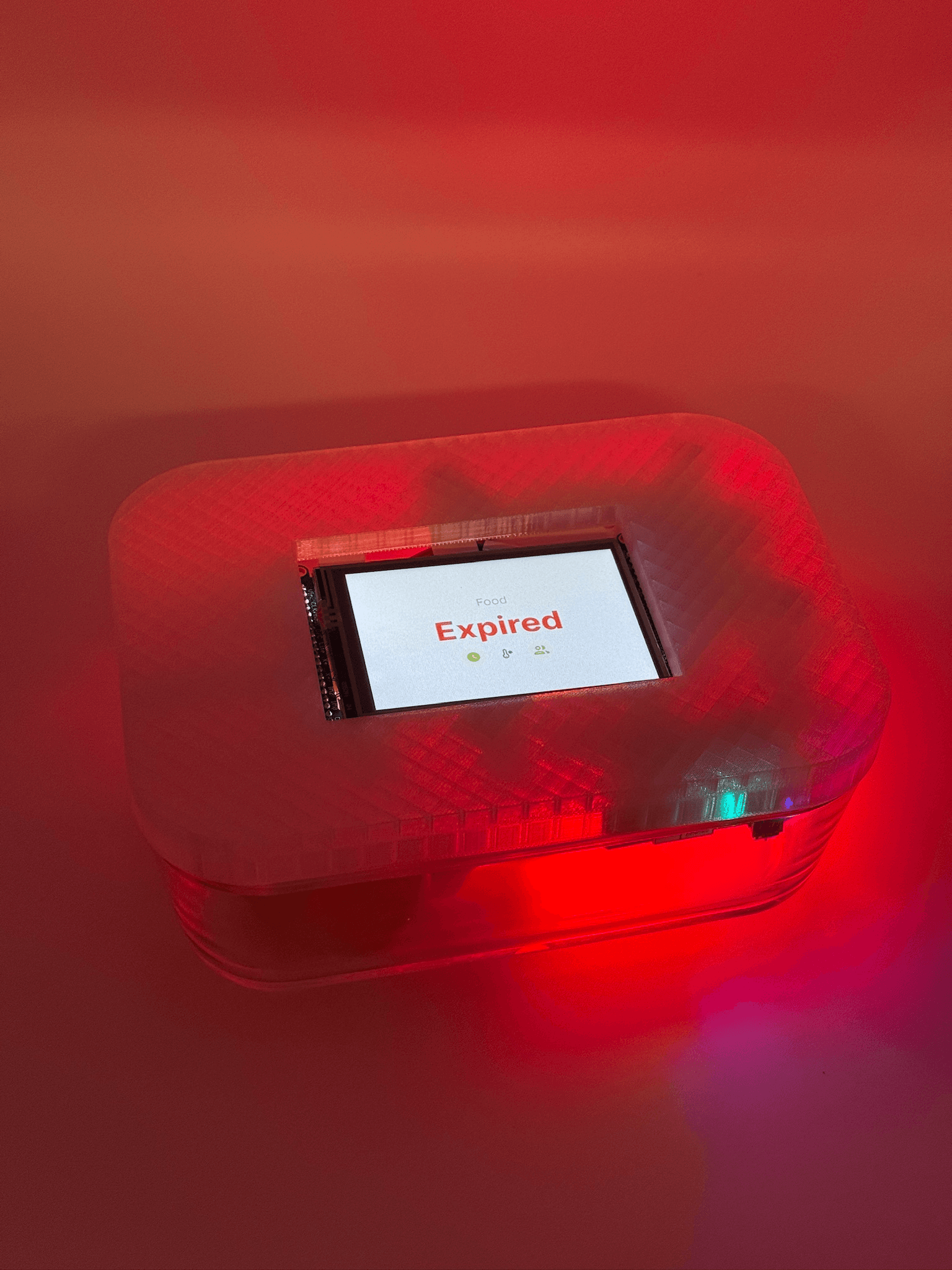
This led to the container's color-coded LED system:
Colorless = fresh
Yellow = expiring soon
Red = expired
Blue = freezing
Users can understand container status with a quick glance while interacting naturally with their fridge.



Design for low-energy moments
Many participants described forgetting food-related tasks when they were tired or overwhelmed.
Instead of relying on manual logging, FreshHold automates:
food recognition
expiration tracking
freshness monitoring
inventory updates
The less users had to think about food management, the more valuable the system became.

Design around real-life scenarios
Before refining the final concept, we created storyboards and enactment scenarios exploring situations like:
Our user is traveling and out of town.

The power goes out and the fridge loses power.

Our user comes back from work and wants to make dinner.

These exercises helped us think beyond individual features and focus on how the system would fit into everyday life. Many of FreshHold's most useful behaviors emerged from these scenarios rather than from the technology itself.
Prototyping and Programming
One of my primary responsibilities was helping transform the concept into a physical prototype.

I worked on:
sensor integration concepts
LED feedback systems
interaction flows
display behavior
physical container prototyping
This was also the first project that forced me to think deeply about the relationship between digital and physical design. For example, a seemingly simple decision like placing LEDs around the container quickly introduced questions around visibility, transparency, stacking containers, accessibility, and hardware placement.
Those constraints don't show up in Figma, but they become impossible to ignore when you're building something people can actually hold.
Reflection
FreshHold completely changed how I think about design.
It pushed me beyond screens and into designing behaviors, systems, and physical interactions.
I learned that successful IoT experiences aren't defined by how much technology they contain. They're defined by how little users have to thank about that technology.

We also won the "most innovative design" award for the entire class with this project!

I’d love to explore:
real-world household testing
alternative accessibility solutions beyond color indicators
modular container designs
more sustainable manufacturing approaches
a production-ready sensor ecosystem
Most importantly, I'd continue exploring how technology can support people without demanding more of their attention.
This project made me realize that sometimes the best design isn't the thing people interact with. It's the thing that helps them forget they needed help in the first place.